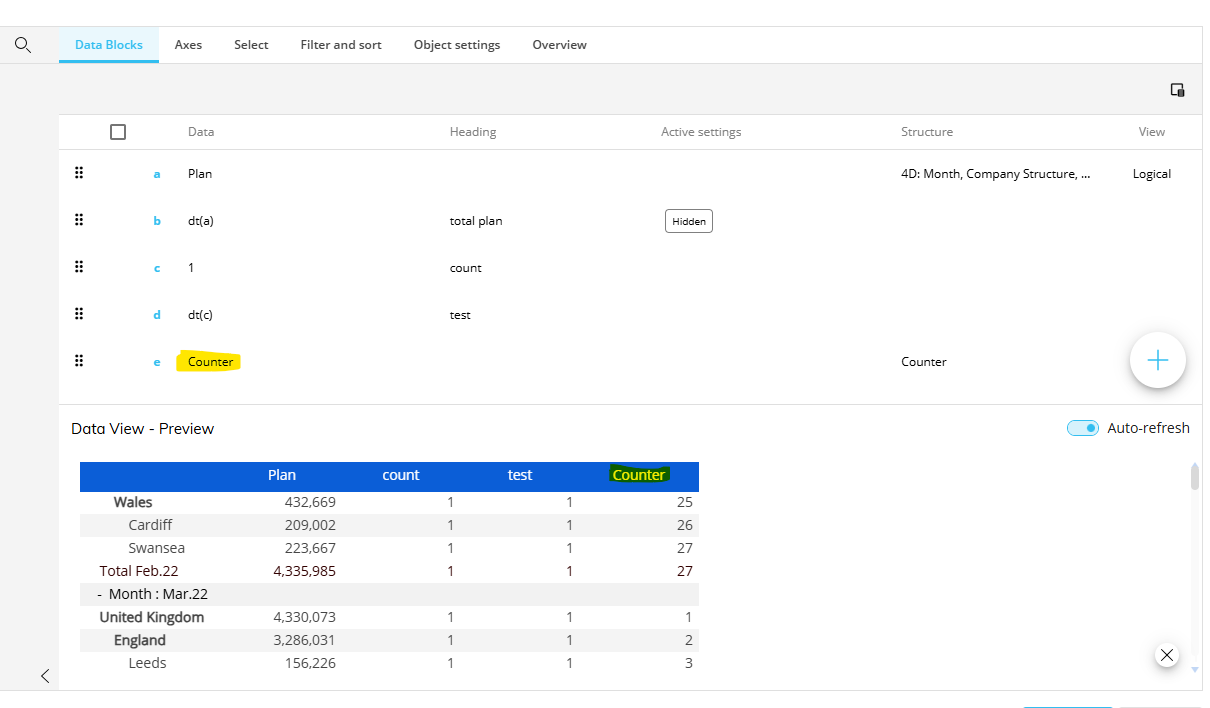
i am trying to export a report and i want a row number, or else it would be helpful if i can insert the row number/counter values through data reader in etl
Hi Bale, you can use the Ranking → Counter option in a layout to give you a row count, however I should point out that if you have multiple entities on the Row axis the count will reset with each group.
Hi Robert, thanks for pointing that out. In my case I’m working with Export dataset, which unfortunately doesn’t support ranking functions, so I can’t apply the Counter option here. Do you know if there’s any way to achieve a sequential row number directly in Export dataset, or perhaps through an ETL function in the DataReader that can generate a running sequence? That would be really helpful.
Ah okay, yes that limits things unfortunately, I don't know of a way off the top of my head I'm afraid but if anything occurs to me I'll let you know.
@Bale Goutham Is the data you're trying to export large? If it's not really a big dataset, you can use Export Data View to file. This supports Ranking.
Hi Efraim, Yes, it combines a minimum of 10 entities in rows and 40 blocks with about 50,000 rows. I tried using Export Data View , but it takes much longer, whereas with Export Dataset I’m able to get the results in just 2 minutes.
Hi @Bale Goutham
Did you find a solution? I am very interested by your solution if you have found any
thank you
Ghislain