Hello,
I have a dataview with 2 entities in column and I want to display codes for both entities. I choose the display codes option in the settings but it applies only to one of the 2 entities in column. Is there a way to change this ?
Thank you!
Hi Catalina, yes I can confirm this seems to be a 12.6 issue, I can reproduce the same thing in a 12.6 instance but as I say it works fine in 14.5. I hope your upgrade goes well when the time comes!
Based on scout answer even if it doesn't seem 100% relevant, I should change the default member display. Can I do this without any impact ?
Hi Catalina, changing the default display will apply to everywhere you use the entity, so could well impact other layouts or even functionality depending on the usage of the entity. If you set the display option on the data view to Code that should apply to all entities on the axis, do you have a screen shot of it not working?
Hello Robert,
These are my settings:
and the display that shows the description on the first dimension on column; the second dimension is displayed correctly based on codes:
thank you
Bonjour Catalina,
Pour compléter la réponse de Robert avec quelques éléments supplémentaires issus de bonnes pratiques 👇
👉 Sur l’affichage Code / Description dans un Data View
Lorsque l’option Display → Code est activée au niveau du Data View, elle est censée s’appliquer à l’ensemble des entités présentes sur l’axe. Cela dit, avec plusieurs entités sur les colonnes, le rendu final dépend aussi de la structure du layout et du type de visualisation utilisé, ce qui peut expliquer pourquoi une entité respecte le paramétrage et l’autre non.
⚠️ Point d’attention important sur le “Default member display” Changer le default member display d’une entité (Code / Description) :
👉 Pour un besoin spécifique comme celui que tu décris, il est recommendé d’éviter toute modification globale du modèle et de privilégier un paramétrage local au layout, afin de ne pas introduire d’effets de bord.
Selon l’objectif de lecture, tu peux envisager :
Le display mode sur une entité :
Pourquoi pas jouer avec les "blocks alignment"
Ces approches permettent de répondre au cas d’usage sans impacter le reste de l’application.
Enfin, si tu as des besoins plus avancés ou si tu souhaites approfondir les bonnes pratiques autour du design et de la modélisation Board, n’hésite pas à contacter ton Customer Success Manager @Karel Kpamegan. Il pourra t’accompagner de manière plus approfondie pour monter en compétence sur l’application et sécuriser les choix de paramétrage.
Bonne continuation et bon paramétrage !
Kevin Solution Architect Board France.
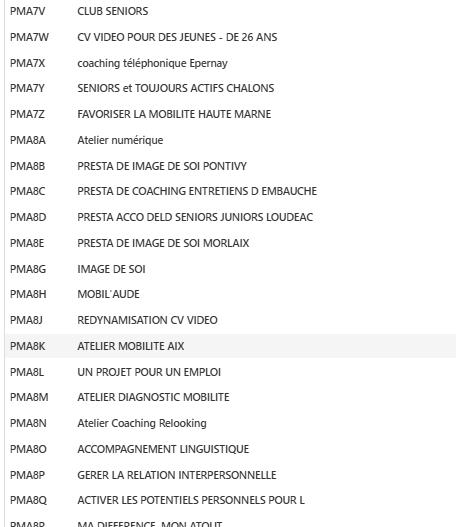
Hi Catalina, would you be able to post a screenshot of the contents of the Prestation entity? Also which version of Board are you using? I've just tried the same thing using the latest 14.5 version and it seems to display codes for both entities as expected
We are under 12.6. We will migrate soon under the 14 so my problem will be probably solved in this case :)
This is a screenshot of our Prestation dimension: