
Board Screen Design Brings a Shared, Living Set of UX/UI Guidelines to Every Board Maker
This initiative is led by the Application Design Team (ADT), a dedicated unit within Board's Professional Services Center of Excellence. The ADT exists to make sure every solution built on Board — whether a project in active implementation, a live application already in the hands of customers, or a demo, asset, or PoC used in a Pre-Sales cycle — looks and feels the way a great enterprise planning application should:
- Consistent with brand and design standards
- Intuitive to navigate
- Optimized for real-world usability
The team provides design support to implementers, consultants, partners, and customers across the ecosystem, reviewing screens, advising on structure and layout, and helping every Board maker ship interfaces that are both visually credible and genuinely easy to use.
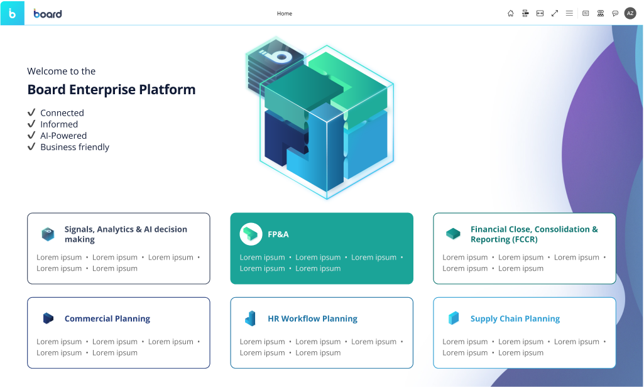
Today, we're taking that mission a step further.
A New Home for UX/UI Guidance
We're excited to introduce Board Screen Design (BSD) — the ADT's structured set of UX/UI guidelines for anyone designing applications in Board — and to announce that it now has a dedicated home in a new section of the Community.
BSD isn't a rigid framework or a design system to be enforced top-down. It's a growing, practical body of guidance, built from real project experience and refined by the ADT, that gives Board makers a shared reference point for the decisions they make on every screen: what goes where, how big things should be, what colors and contrast to use, and how to keep an application feeling coherent from one module to the next.
What's Inside BSD
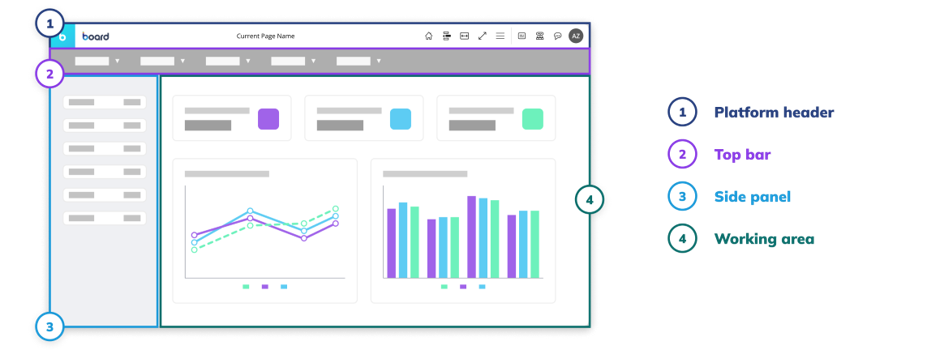
BSD guidance is organized into two categories:
- Design Foundation — the underlying principles of good screen design: how to structure a screen around a single clear purpose, how to build visual hierarchy and grouping, how to think about screen size and fit mode, and how to keep applications accessible and readable at any resolution.
- Practical Guidelines — concrete, applied standards Board makers can use directly while building: recommended spacing and grid systems, space allocation across header, side panel, and working area, card and container design, and precise sizing for components like KPIs, charts, tables, buttons, and filters.
At launch, BSD already covers five core topics — screen structure, hierarchy and grouping; screen size, fit mode and scrolling strategy; accessibility and readability; space usage and card design; and object sizing and component proportions — with more guidance planned as the initiative grows. This is very much a living resource: as new patterns and challenges emerge across projects, the ADT will keep expanding BSD to reflect them.
Why This Matters for Every Board Maker
Good UX/UI isn't a finishing touch — it's what determines whether a solution actually gets adopted. With BSD, every implementer, consultant, and project team now has direct access to the same standards the ADT itself applies when reviewing applications:
- Consistency at scale. Applications built by different teams start to look and behave like they belong to the same family, because everyone is designing from the same foundation.
- Fewer review cycles. Following BSD guidance up front means fewer surprises — and less rework — when a screen goes to design review.
- Confidence without a design background. BSD translates UX/UI principles into concrete, actionable rules, so Board makers at any experience level can make sound design decisions without needing to be design specialists themselves.
- Better outcomes for end users. Clearer hierarchy, readable typography, sensible component sizing, and accessible color use all add up to applications that are faster to learn and more pleasant to use every day.
BSD is designed to sit alongside — not replace — the ADT's hands-on support. Wherever a screen calls for a deeper review, hands-on design help, or Pre-Sales polish, the ADT remains just a request away.
Where BSD Goes From Here
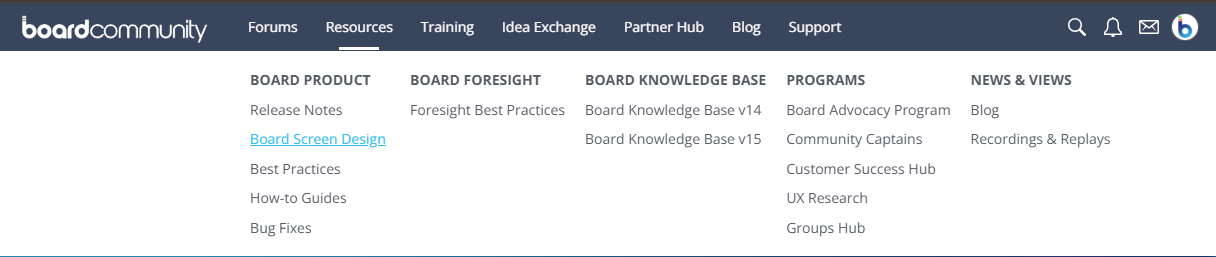
This Community section is just the starting point. As BSD grows, so will its footprint here — with new guidance added over time and existing chapters refined as Board's platform and design patterns evolve. We encourage every Board maker to explore the current guidelines, apply them to work in progress, and reach out to the ADT with questions or feedback.
Great applications aren't built by accident. With Board Screen Design, we're giving every Board maker the shared language and standards to build them by design.
Get in touch with the ADT:📩 UxDesignCOE@board.com
Related Content: Help grow the Board Community and share your screen designs with your fellow Community members by taking part in our monthly challenge.